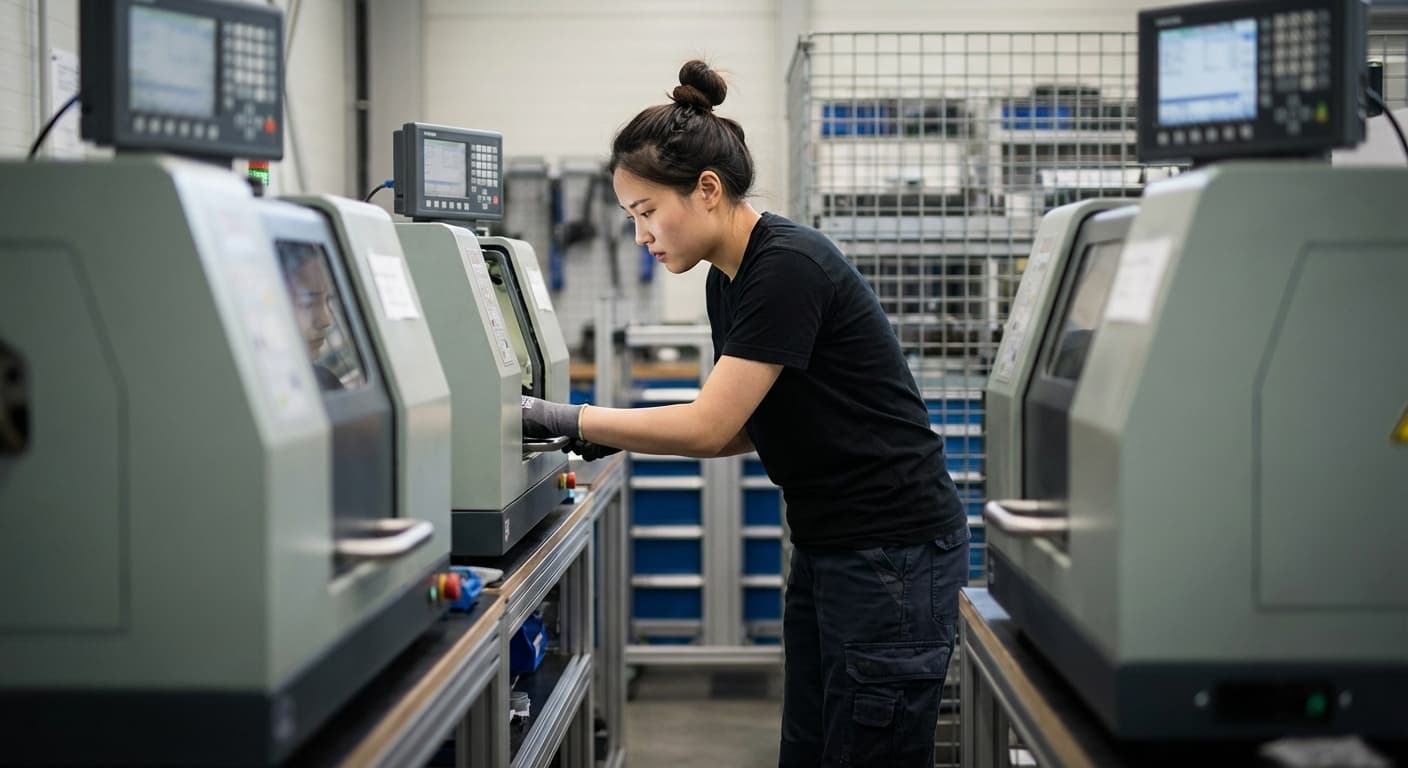
Introduction
Most factories are organized by department. Machining in one building. Assembly in another. Inspection somewhere down the hall. Parts travel miles before they're finished, bouncing between areas, waiting in queues, getting lost in the chaos.
This traditional layout creates waste. Wasted time. Wasted motion. Wasted opportunity.
There's a better way. It's called a workcell.
A workcell is a lean manufacturing arrangement that groups equipment, tools, and people together to produce a specific product or family of products. Instead of organizing your factory by process type, you organize by product flow. Everything a part needs is right there. No travel. No waiting. No chaos.
This concept is so fundamental to efficient manufacturing that we named our entire company after it.
What is a WorkCell?
A workcell (also called a manufacturing cell or work cell) arranges equipment in the sequence of operations. Raw material goes in one end. Finished product comes out the other. The part never leaves the cell.
Think of it as a mini-factory within your factory.
Key Characteristics
Sequential arrangement. Equipment sits in the order operations occur. Mill, then lathe, then grind, then inspect. No backtracking.
Minimal travel distance. Steps are close together. Operators hand off parts directly. Some cells are small enough that one person works multiple stations without walking.
U-shaped or C-shaped layout. The most common design curves back on itself. Start and end points stay close together, making material flow and operator movement efficient. (Our free shop layout planner can help you map this out.)
Dedicated to a product family. A cell handles parts that share similar operations. Not every part in your shop, just the ones that make sense together.
Cross-trained operators. Workers in the cell perform multiple operations. Typical cells have 3-12 people working 5-15 workstations. When demand shifts, they shift with it.
Traditional Layout vs. Cellular Layout
In a traditional functional layout, similar machines sit together. All mills in one area. All lathes in another. Parts travel from department to department, often waiting days between operations.
In a cellular layout, different machines sit together based on what the product needs. A part might visit five machines, but they're all within twenty feet of each other. What took days now takes hours.
The difference isn't subtle. It's transformative.
The History of WorkCells
WorkCells emerged from the Toyota Production System in post-war Japan. Toyota didn't have resources for massive batch production. They needed to make more with less.
Taiichi Ohno, the architect of TPS, identified seven types of waste: overproduction, waiting, transport, overprocessing, inventory, motion, and defects. Traditional factory layouts practically guaranteed all seven.
Cellular manufacturing attacked these wastes directly. Group the equipment. Reduce the travel. Eliminate the queues. Make problems visible.
The concept spread through the lean manufacturing movement in the 1980s and 1990s. Western manufacturers, struggling to compete with Japanese efficiency, adopted cellular principles. Today, workcells are standard practice in lean factories worldwide.
The evolution looks like this:
- Craft production: One skilled worker makes the entire product
- Mass production: Specialized departments, huge batches, long lead times
- Lean production: Cellular layouts, small batches, continuous flow
WorkCells brought back the craft production mindset (ownership, quality, flow) while keeping the efficiency gains of modern manufacturing.
How WorkCells Work
The Anatomy of a WorkCell
A well-designed workcell includes:
Equipment positioned for flow. Each machine or workstation sits where it makes sense in the process sequence. No wasted steps.
Material staging areas. Raw materials come in at one point. Finished goods leave at another. Everything has a place.
Visual management. Boards showing production targets, quality metrics, and current status. Problems should be obvious at a glance.
Built-in quality checkpoints. Inspection happens within the cell, not in a separate department. Defects get caught immediately.
Standard work instructions. Clear documentation at each station. Anyone trained on the cell can step in and produce quality parts.
One-Piece Flow
The magic of workcells is one-piece flow. Parts move one at a time, not in batches.
In traditional manufacturing, you might machine 500 parts, then move the whole batch to the next operation. If there's a problem, you don't find out until 500 parts are already wrong.
In one-piece flow, each part moves to the next operation as soon as it's ready. Problems surface immediately. One bad part, not 500.
This approach slashes work in progress. Instead of inventory piling up between departments, you have just a few parts moving through the cell at any time. Less inventory means less cash tied up, less space consumed, and fewer places for problems to hide.
Lead times shrink dramatically. What used to take weeks can take hours.
Cross-Trained Operators
WorkCells require flexibility. Demand fluctuates. Operators call in sick. Machines break down.
Cross-training solves this. Instead of one person per station, you train operators to work multiple stations in the cell. When volume increases, add another person. When it drops, one person handles the whole cell.
This makes work more engaging too. Operators understand the entire process, not just their tiny piece. They catch problems they'd never notice if they only knew one step.
Benefits of WorkCells
Reduced Lead Time
Less travel means less waiting. One-piece flow eliminates queue time between operations. Parts that spent days in transit now flow through in hours.
For job shops and make-to-order manufacturers, this changes everything. Shorter lead times mean faster quotes, happier customers, and the ability to win work competitors can't deliver in time.
Lower Work in Progress
Traditional layouts hide inventory everywhere. Parts sit in bins between departments. Batches wait for their turn. Nobody knows exactly what's out there.
WorkCells keep WIP visible and minimal. You can see everything in the cell. If inventory starts piling up, something's wrong, and you'll notice immediately.
Less WIP means less cash tied up in inventory, easier tracking, and problems that can't hide in the pile.
Better Quality
Defects in batch production multiply. Make 500 bad parts before anyone notices. Then scrap them all.
In a workcell, defects surface immediately. The operator at the next station catches the problem. One bad part gets fixed. The process gets corrected. Quality is built in, not inspected after the fact.
Increased Flexibility
WorkCells adapt. Add operators when demand spikes. Reduce when it drops. Reconfigure cells as product mix changes.
Traditional layouts are rigid. Moving a department is a major project. Rebalancing a line takes weeks of engineering.
Cells are modular. They're designed to flex.
Smaller Footprint
Equipment grouped tightly takes less space than equipment spread across departments. Travel aisles shrink. Staging areas consolidate.
Many manufacturers produce more in less space after implementing cells. That's floor space you can use for new products, additional cells, or just better working conditions.
Types of WorkCells
Manufacturing Cells
The most common type. Equipment arranged to produce a product family:
- Machining cells: Mills, lathes, grinders, and inspection equipment for a family of machined parts
- Assembly cells: Workstations for building subassemblies or finished products
- Fabrication cells: Cutting, bending, welding, and finishing for sheet metal or structural components
Service Cells
The workcell concept extends beyond the shop floor:
- Order processing cells: People and systems grouped to handle customer orders from receipt to fulfillment
- Engineering cells: Design, drafting, and analysis grouped by product line
- Administrative cells: Any office process that benefits from flow and reduced handoffs
The principles are the same. Group by product or customer. Minimize handoffs. Make problems visible.
Hybrid Arrangements
Not every factory goes fully cellular. Some products don't fit neatly into families. Some equipment is too expensive to duplicate.
Hybrid layouts combine cellular and functional approaches. Core product families run through dedicated cells. Specialty operations remain centralized. The key is applying cellular thinking wherever it makes sense, not forcing it where it doesn't.
Designing an Effective WorkCell
Key Principles
Map the value stream first. Understand your current state before redesigning. Where does time go? Where do parts wait? What creates the most waste?
Group by product family. Parts that share similar operations belong together. If 80% of the steps are the same, it's probably a good fit for a cell.
Minimize travel distance. Every step should flow to the next. If an operator has to walk across the shop, your cell isn't cellular.
Design for flexibility. Demand will change. Products will evolve. Build cells that can adapt without major reconstruction.
Include quality at each station. Don't batch inspection at the end. Catch problems where they occur.
Make problems visible. Andon lights, status boards, visual indicators. When something goes wrong, everyone should know immediately.
Common Mistakes
Creating cells that are too specialized. If the cell can only make one part number, you've built inflexibility into your layout.
Ignoring changeover time. Cells work best with quick changeovers. If setup takes hours, you'll batch anyway, defeating the purpose.
Forgetting material replenishment. Parts flow through the cell. Raw materials need to flow in too. Design for continuous supply.
Not cross-training operators. A cell with single-skilled operators isn't flexible. When someone's absent, the whole cell stops.
WorkCells and Modern Manufacturing Software
The workcell concept is physical. But the principles apply to software too.
Traditional ERP: The Departmental Layout
Most ERP systems are organized like traditional factories (here's what to look for if you're evaluating options). Separate modules that don't talk to each other. Finance over here. Production over there. Inventory somewhere in between.
Data travels through exports and imports. Reports run in batches. By the time you see the numbers, they're already stale.
Sound familiar? It's the software equivalent of parts traveling miles between departments.
Modern Manufacturing Software: Cellular Thinking
Now imagine software designed like a workcell:
- Everything connected. Data flows from operation to operation without manual handoffs.
- Real-time updates. Information moves as fast as the product. No waiting for batch reports.
- Problems visible immediately. When something goes wrong, you know now, not tomorrow.
- Waste eliminated. No duplicate entry. No reconciliation spreadsheets. No information sitting in queues.
This is why we named our company WorkCell.
We believe manufacturing software should work like an efficient manufacturing cell. Integrated. Flowing. Visible. Real-time scheduling that reflects reality. Inventory tracking that updates the moment something moves. A single system where production, sales, and operations see the same truth.
The principles that transformed factory layouts can transform your software too.
Frequently Asked Questions
What is the difference between a workcell and an assembly line?
Assembly lines are linear and typically designed for high-volume, low-mix production. Products move in one direction at a fixed pace. WorkCells are often U-shaped, more flexible, and better suited for higher-mix production. Both aim for flow, but workcells adapt better to variation in demand and product type.
How do you know if workcells are right for your factory?
If you produce families of similar parts, have significant travel time between operations, or struggle with WIP and lead times, workcells are worth exploring. Start by mapping your value stream. If parts spend more time waiting and traveling than being worked on, cellular layouts can help.
Can workcells work for job shops?
Yes. Even high-mix, low-volume environments benefit from cellular principles. The key is grouping parts that share similar routings, even if volumes per part number are small. Many job shops create flexible cells that handle families of similar work rather than specific products.
Conclusion
A workcell is a lean manufacturing arrangement that groups equipment and people for efficient production of product families. The principles are simple: flow, minimal waste, visibility, flexibility.
These ideas transformed manufacturing. They turned weeks of lead time into hours. They made quality everyone's job. They proved that smaller batches and continuous flow beat massive departments and endless queues.
The same principles can transform your software.
We built WorkCell on cellular thinking: integrated, real-time, waste-free. No disconnected modules. No batch reports. No data traveling miles before it's useful.
Ready to see software designed like a workcell?
Book a demo and see how WorkCell brings cellular thinking to your entire operation. Real-time visibility. Connected systems. Zero waste.
The future of manufacturing runs on flow.
We build manufacturing software and spend our time in the shops that run it. What we write comes from watching jobs move across real floors and from building the system that has to keep up with them.